
Building a side hustle alone gets quiet fast. You set a goal at the start of a stretch, life hits mid-way, and nobody asks what you shipped. Joining a giant community helps with ideas, but it won’t tap you on the shoulder when you skip your own plan. For that, you need a small group you own.
This is the facilitator playbook: how to start and run your first accountability group on Discord, WhatsApp or Slack. Not a list of communities to join (we already covered that in our guide to free communities for beginners). This one is about you as the host: pick a platform your people already use, set clear rules, lock a simple cadence, kick off cleanly and keep the circle consistent. We’re not affiliated with Discord, WhatsApp or Slack, and nobody paid to be here. Plan facts below were checked on each product’s own help or pricing pages in October 2026.
What an Accountability Group Is (and Isn’t)
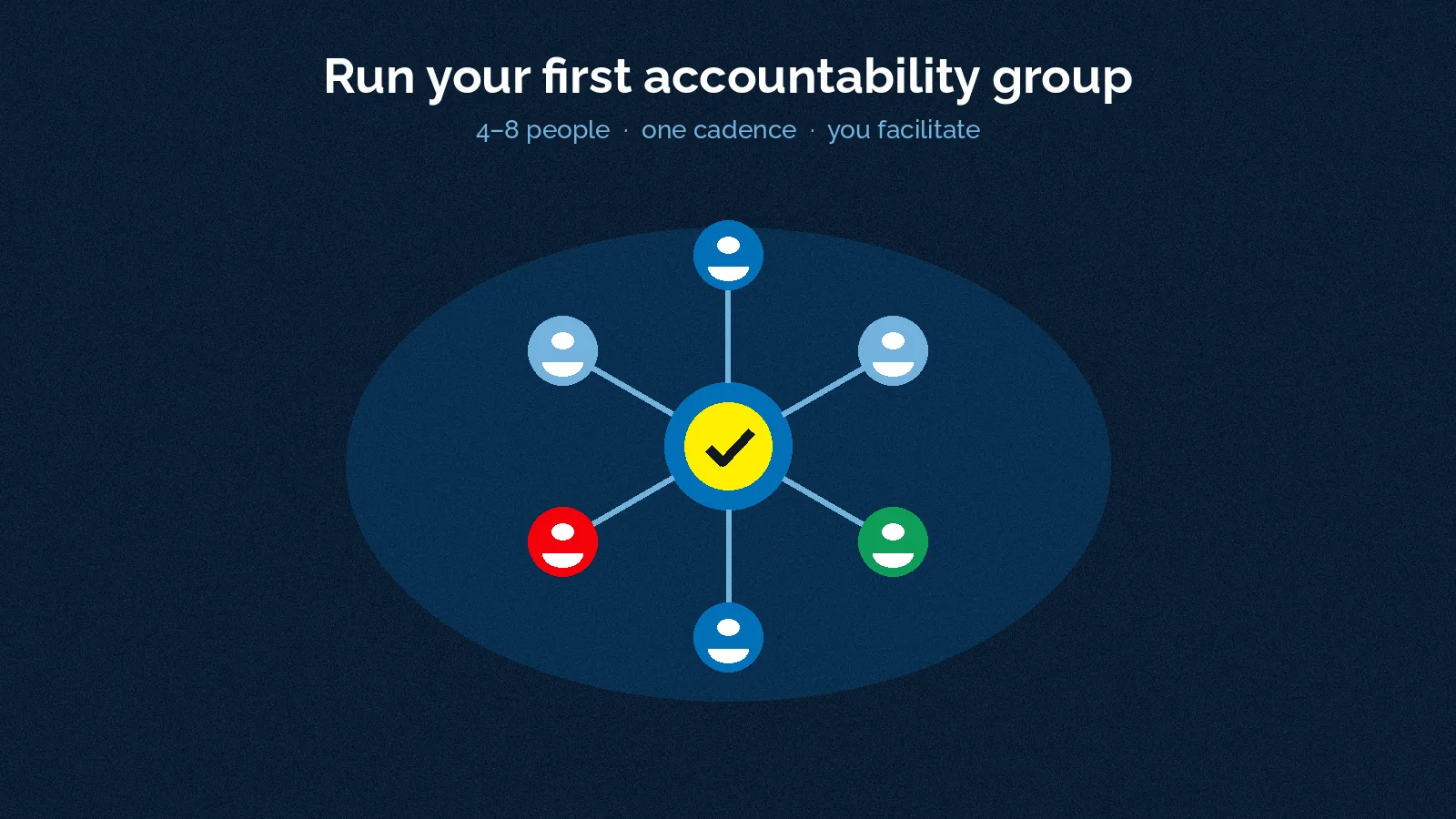
An accountability group here means four to eight people who share a recurring check-in, tell the truth about progress and help each other stay honest. You facilitate. Everyone else shows up with one clear next move.
It is not a massive Discord empire, a paid mastermind funnel or a group chat that only forwards memes. It is also not therapy, legal advice or a substitute for a business partner agreement. If someone in the circle later becomes a co-founder prospect, treat that as a different conversation (our co-founder guide is further reading — don’t import its older stats into your rules).
Researchers who studied human support for digital programmes call a useful version of this supportive accountability: people stick with a plan better when they answer to someone they see as trustworthy and fair, with clear process-oriented expectations they helped set, and with an obvious benefit for showing up1. That is your job as host: fair rules, clear process, mutual benefit. Not cheerleading with no structure.
A separate field experiment on gym habits found that people asked to show up with a friend visited about 35% more often than people offered a solo cash reward, even though the friend rule made earning the reward harder2. Take that as evidence that making a behaviour social can lift follow-through — not as a promise that your group will grow your revenue by any fixed percent. Gyms are not side hustles. Consistency is the transferable bit.
Start Tiny: Who to Invite
Four is enough. Eight is plenty. Twelve is a party, not a check-in.
Invite people who:
- Are at a similar stage (idea, first sale, first hire) so the conversation stays useful
- Already chat with you somewhere (don’t cold-DM strangers into a “high-ticket circle”)
- Can commit to one short check-in on a fixed rhythm
- Will tell the truth when they missed a week
Skip anyone who only wants an audience for links, anyone who pressures you to “get in fast or lose out” (Discord’s own scam guidance flags that rush pattern3), and anyone who refuses a written rule set. You’re building a work circle, not collecting followers.
Ask with a specific ask, not a vague “want to vibe?”: “I’m starting a four-to-six person accountability group for side hustlers. We do one 20-minute written check-in each week. Want in for six weeks, then we decide whether to continue?”
Pick the Platform Your Group Already Uses
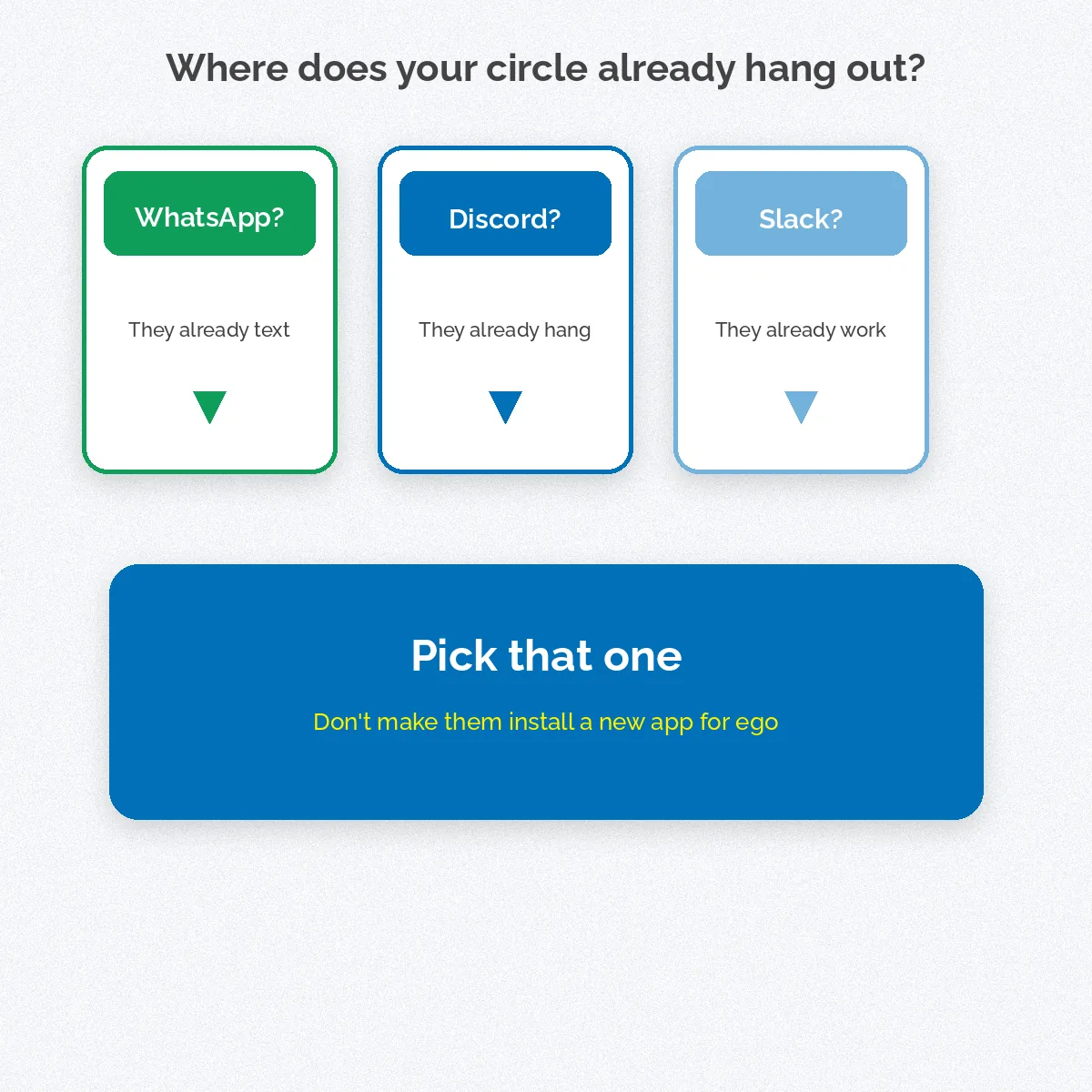
Don’t make people install a new app for ego. Match the tool to where your circle already lives. All three options below have a free path for a tiny group; details change, so re-check the vendor page before you build a routine on a free limit.
Discord — best when you want channels and roles
Discord lets you create your own server from the Add a Server flow, name it, set an icon and invite people4. Access is by invite link. You can set how long a link lasts and how many times it can be used; Discord notes that if you set max uses to “No limit” you should be careful who you share it with, and that the only way into a server is through an invite5. Roles and channel permissions let you keep a private check-in channel while soft-muting chaos elsewhere — Administrator is the most powerful permission, so Discord tells you to assign it with extreme caution6.
Use Discord if: your people already game or hang out there, you want separate channels (check-ins, wins, off-topic) and you’re happy to spend 20 minutes on roles.
Facilitator tip: before members join, ask everyone to review Privacy & Safety around direct messages from server members. Discord notes that changing the default only applies to servers joined after you flip the toggle3.
WhatsApp — best when the group already texts
WhatsApp lets you create a group with up to 1,024 members — far more than you’ll need7. You name it (up to 100 characters), set permissions and add contacts. For invite links, WhatsApp says admins and members in groups with fewer than 33 members can create group links, and you should only share those links with people you trust, because anyone with the link can join and forward it7. For Communities (multiple groups under one umbrella), WhatsApp adds an announcement group where only admins can post, and tells admins not to post invite links on public forums or websites — only share with people you know8 9.
Use WhatsApp if: your circle is already on it across the US, UK, Canada, Australia, New Zealand, Ireland, the Cayman Islands, the Bahamas, the British Virgin Islands (BVI) or South Africa, and you want the lowest friction.
Facilitator tip: keep the check-in group small and private. If the chat gets noisy, mute is a feature, not a failure9. Don’t paste the invite on a public page.
Slack — best when people want workspace structure
Creating a Slack workspace makes you the Workspace Primary Owner10. Slack’s Free plan is listed at $0 USD, with 90 days of message history and up to 10 apps on the pricing page when we checked in October 202611. Channels can be public or private inside the workspace; every workspace has a general channel that members can’t leave, which Slack says works best for workspace-wide announcements12. For a four-to-eight person hustle circle, create a private channel for check-ins and keep general quiet.
Use Slack if: your people already live in Slack for day jobs or client work, and you want threads, channels and a more “work” feel. Remember the Free plan’s history window when you want to dig up an old check-in11.
The 60-second decision
- Already on WhatsApp together? Use WhatsApp.
- Already on Discord together? Use Discord.
- Already on Slack for work? Use Slack Free, private channel.
- Split across tools? Pick the one most of them open daily — not the one with the flashiest features.
Write Rules Before the First Check-In
Post rules in the group description or a pinned message. Keep them short enough to read on a phone.
Suggested starter rules (adapt, don’t copy blindly):
- One check-in per cadence. Missed weeks are said out loud, not ghosted.
- Process goals count. “Send five outreach messages” beats “get rich.”
- No unsolicited pitches to the group. Ask before you share a paid offer.
- No public invite spam. Share invites only with people you know (WhatsApp’s own admin advice9; Discord’s invite caution5).
- Confidentiality by default. Don’t forward someone’s numbers, drafts or customer names out of the group.
- Kind > clever. Challenge the plan, not the person.
- Six-week trial. At the end, anyone can leave without drama; you can close the group.
Add one safety line for Discord hosts: audit who has powerful permissions and be careful with bots and webhooks3. Add one for WhatsApp: reset an invite link if it leaks; WhatsApp says a reset link cannot be restored7.
Cadence: The Weekly Check-In That Actually Works
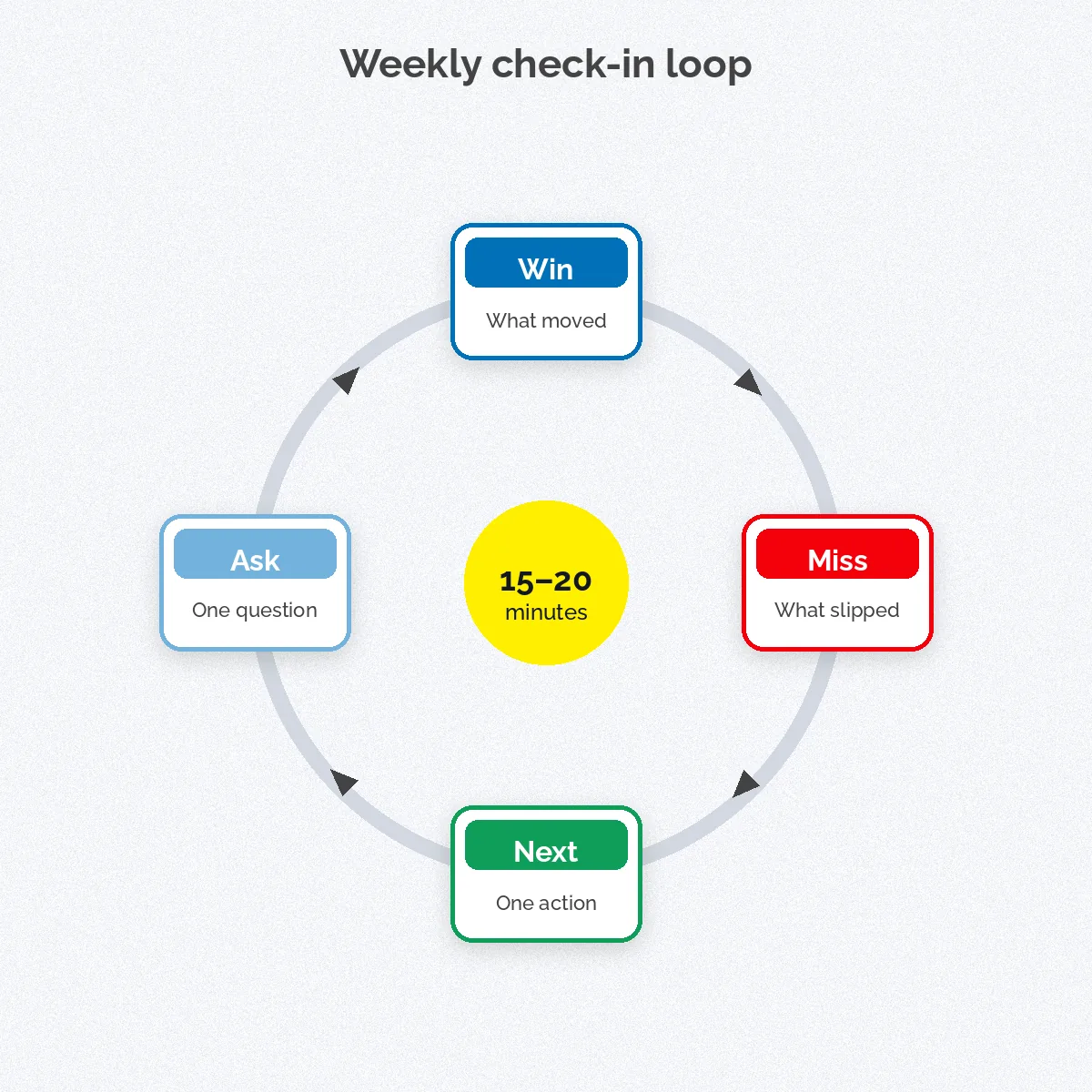
Pick one rhythm and protect it. Most tiny groups do well with a weekly written check-in plus an optional voice call every two or four weeks. Written first: it scales across time zones from Toronto to Auckland to London to Cape Town without punishing anyone.
A 15–20 minute written format:
- Win (1–2 lines): what moved since last time
- Miss (1–2 lines): what slipped, without a novel of excuses
- Next move (one concrete action): due before the next check-in
- Ask (optional): one question for the group
Supportive accountability research stresses process-oriented expectations the person helped set1. So let each member write their own next move. Your job is to notice vague ones (“work on branding”) and ask for a sharper version (“publish the landing page draft before the next check-in”).
Host rituals that keep energy up:
- Post the prompt at the same local-friendly time each cycle (name the zone once, e.g. “prompt drops 17:00 UK / 12:00 US Eastern / 09:00 Pacific”)
- Reply to every check-in with one sentence in the first 24 hours
- Call out patterns (“three of us skipped outreach — want a paired hour?”)
- Once a month, ask: keep, tweak or close?
Kickoff: Your First 48 Hours as Facilitator
Day zero is setup. Day one is the human part.
Setup checklist
- Create the Discord server, WhatsApp group or Slack workspace/channel using each product’s official create flow4 7 10
- Paste rules + cadence + six-week end date
- Invite only the people who said yes (limited-use Discord invite5; trusted WhatsApp links7 9)
- Post the first check-in prompt with a due time
Kickoff message (paste and fill):
“Welcome. This group exists so we stay honest about our side hustles for the next six weeks. Rules are pinned. Cadence: one written check-in each week using Win / Miss / Next / Ask. First check-in due [day + time + zone]. If this isn’t for you, leave now with zero hard feelings. If you’re in, reply with your one next move for this first cycle.”
Then you go first. Hosts who never check in kill the culture in a week.
Keep People Showing Up (Retention Without Drama)
Groups die from noise, shame or endless “we’ll start next week.” Fix those three.
Noise: split off-topic into a second channel (Discord/Slack) or a separate WhatsApp chat. Mute is allowed9.
Shame: celebrate process honesty. A clean “I missed” plus a smaller next move beats a fake win.
Drift: if two cycles pass with under half responding, shrink the group or pause it. A paused group is better than a zombie chat.
Rotate a light role after two weeks: one person owns the prompt, one owns “who hasn’t posted?” nudges. You still set the tone; you don’t do every chore alone.
When someone becomes a partner prospect: take it to a private conversation. The group is for consistency, not equity splits.
When the six weeks end: hold a short retro. Keep the same rules or rewrite them. Invite one new seat only if someone left. Resist the urge to “scale” to 40 people and lose the accountability that made it work.
Platform Cheat-Sheet for Facilitators
| Need | Discord | WhatsApp | Slack Free | | — | — | — | — | | Create | Own server4 | Group (or Community)7 8 | Workspace10 | | Invite care | Expiry + max uses5 | Trust-only links; don’t post publicly7 9 | Workspace invites to known emails | | Structure | Channels + roles6 | One chat (or Community groups)8 | Channels; protect #general12 | | Free-plan watch-out | Permission hygiene3 | Link forwarding risk7 | 90-day message history11 |
Use the table as a reminder, not a ranking. The best platform is the one your four people will open without a pep talk.
Your Move
Create the empty space on one platform. Write seven rules. Invite three to five people who already trust you. Post the first Win / Miss / Next / Ask prompt — and answer it yourself before anyone else does.
Curious enough to start small. Disciplined enough to run six weeks. Stoic enough to hear “I missed” without turning it into a lecture. We’re helping 1,000 ambitious people turn their side hustles into main hustles by 2028, and consistency compounds faster in a circle than alone. We got this. Ready to build yours? Launch Your Hustle →
Where the numbers come from
Platform steps, limits and safety lines below come from each product’s own help or pricing pages, checked October 2026 (16 October 2026). Research citations are peer-reviewed abstracts or papers. Free plans and limits change — re-check before you rely on them. We are not affiliated with Discord, Meta/WhatsApp or Slack.
- Mohr DC, Cuijpers P, Lehman K. Supportive accountability: a model for providing human support to enhance adherence to eHealth interventions. Journal of Medical Internet Research, 2011 (PubMed abstract; full-text page blocked to automated fetch this run). pubmed.ncbi.nlm.nih.gov
- Gershon R, Cryder C, Milkman KL. Friends with Health Benefits: A Field Experiment. Management Science (abstract; published online 17 April 2024). pubsonline.informs.org
- Discord. Protecting Against Scams on Discord. Discord Safety Center, 2022 (read 16 October 2026). discord.com
- Discord. How do I create a server? Discord Support (updated 29 May 2024; read 16 October 2026). support.discord.com
- Discord. Invites 101. Discord Support (read 16 October 2026). support.discord.com
- Discord. Discord Roles and Permissions. Discord Support (updated 18 July 2025; read 16 October 2026). support.discord.com
- WhatsApp. How to create and invite into a group. WhatsApp Help Center (read 16 October 2026). faq.whatsapp.com
- WhatsApp. Communities. WhatsApp Help Center (read 16 October 2026). faq.whatsapp.com
- WhatsApp. How to keep your groups and community safe. WhatsApp Help Center (read 16 October 2026). faq.whatsapp.com
- Slack. Create a Slack workspace. Slack Help Center (read 16 October 2026). slack.com
- Slack. Pricing (Free plan: $0 USD, 90-day message history, up to 10 apps; read 16 October 2026). slack.com
- Slack. What is a channel? Slack Help Center (read 16 October 2026). slack.com