

You’ve got the idea, the name and maybe a logo. Now someone asks, “So where’s your website?” and you open a hosting page full of words like VPS, cloud, managed and dedicated. Prices run from a few dollars to a lot of dollars, and every plan claims to be the one you need.
Here’s the good news: choosing web hosting for a first site is not hard once you know what each type actually is. This guide walks through the six main options (shared, VPS, cloud, managed WordPress, dedicated and site builders), what each one costs you in money and effort, and a short checklist so you pick once and move on. Prices are in USD, and the advice works whether you’re building from Toronto, Auckland, Dublin, Nassau or Cape Town.
First, What Hosting Actually Does
A website is a set of files (pages, images, code) plus, for most modern sites, a database. Hosting is the computer that stores those files and hands them to visitors’ browsers when they type your address. MDN, Mozilla’s developer documentation, describes a web server as both the hardware that stores a site’s files and the software that answers browser requests for them1.
Your domain name is the address. Hosting is the building. You need both, and they don’t have to come from the same company, though keeping them together can make setup simpler. Whoever you buy from, make sure the domain is registered in your name or your business’s name, not a freelancer’s.
If you’re still wondering whether a “real” site matters when you already have social profiles, our post on why your side hustle needs its own website hosting makes that case. This one is about choosing which hosting.
The Six Types of Hosting, in Plain Words
Shared hosting
Your site lives on one physical server alongside other customers’ sites. AWS’s explainer puts it simply: on shared hosting, all the websites share the same server and compete for memory, disk space and processing power, and other sites on that hardware can affect your site’s performance2.
That sounds like a downside, and for a busy app it is. For a first site, it’s the trade that keeps costs low. The host handles the server, security patches and the control panel; you handle your content.
Good for: landing pages, portfolios, brochure sites, blogs and small stores starting out.
VPS (virtual private server)
A VPS is a slice of a physical server set up as its own virtual machine, with resources set aside for you. The same AWS explainer says compute-heavy sites perform better on a VPS because they no longer compete with other sites for processing power, and you can move to a bigger virtual machine as you grow2.
The catch is effort. With many VPS plans you (or someone you pay) look after the operating system, updates and security.
Good for: growing sites with steady traffic, custom apps, and owners who are comfortable on a command line.
Cloud hosting
“Cloud” gets stuck on everything, so here’s the formal version. The US National Institute of Standards and Technology defines cloud computing as on-demand network access to a shared pool of configurable computing resources that can be provisioned and released quickly with little management effort3. AWS describes it as the on-demand delivery of IT resources over the internet with pay-as-you-go pricing4.
In practice, cloud hosting can scale up for a traffic spike and back down after. Pay-as-you-go also means the bill moves with usage, which is harder to budget for than a fixed plan.
Good for: apps with unpredictable traffic, teams with technical skills, and projects that need to scale fast.
Managed WordPress hosting
This is hosting set up around WordPress specifically. What “managed” covers differs from host to host: it can include WordPress updates, caching and help with WordPress problems. Read the plan details rather than assuming.
Note that you don’t need a “WordPress” plan to run WordPress. WordPress.org’s own requirements list a recent PHP version (8.3 or greater), MySQL 8.0+ or MariaDB 10.11+, and HTTPS support, and it recommends Apache or Nginx as the web server5. Plenty of regular shared hosting meets that list.
Good for: WordPress sites whose owners want the host to carry more of the upkeep, and are happy to pay for it.
Dedicated hosting
A whole physical server, just for you. AWS describes dedicated hosting as renting the entire physical hardware, with exclusive access to the server, and notes it costs more than shared or VPS hosting2.
Good for: large, high-traffic businesses with specific security or performance needs. For a first hustle site, it’s almost always more than you need.
Site builders
Site builders bundle a drag-and-drop editor, templates and hosting into one subscription. Shopify, for example, says hosting is included with every plan6. You trade flexibility for convenience: you work inside the platform’s tools, and moving your site elsewhere later can mean rebuilding it.
Good for: owners who want a store or simple site live with no technical setup, and who are fine staying on one platform.

Quick Comparison
| Type | Effort for you | Cost level | Best fit | |—|—|—|—| | Shared | Low | Lowest | First sites, portfolios, small stores | | VPS | Medium to high | Medium | Growing sites, custom apps | | Cloud | Medium to high | Varies with use | Spiky or fast-growing traffic | | Managed WordPress | Low | Medium | WordPress owners who want hands-off upkeep | | Dedicated | High | Highest | Large, high-traffic businesses | | Site builder | Lowest | Low to medium | No-code stores and simple sites |
The effort and cost levels in this table are our own general summary, not measured figures.
The Money Part: Look at the Total, Not the Headline Price
Hosting prices are often shown per month but billed for a longer cycle. The per-month figure drops as the cycle gets longer, so compare what you’ll pay over a full year.
Here’s how that works on Side Hustle Hosting’s shared plans, using the USD prices shown on our hosting page when we checked it for this post7:
| Plan | Monthly cycle (per month) | Annual cycle (shown per month) | |—|—|—| | Side Hustle | $4.95 | $4.13 | | Main Hustle | $9.95 | $8.29 | | Empire | $14.95 | $12.46 |
The page shows these as per-month figures for each billing cycle; it doesn’t show the total billed per cycle, so check the amount at checkout before you pay. A longer cycle usually means paying more upfront, so pick the cycle your cash flow can carry. Prices can change, so check the live page before you buy.
A few more money questions to ask any host:
- What does renewal cost? Some hosts discount the first term only.
- What’s included? SSL certificates, email mailboxes and backups are sometimes extras.
- What are the limits? Disk space, monthly traffic, number of sites and databases all affect when you’ll need to upgrade.
If you’re still working out what your own product should cost, our guide on how to price your first product pairs well with this section.
Your Hosting Checklist
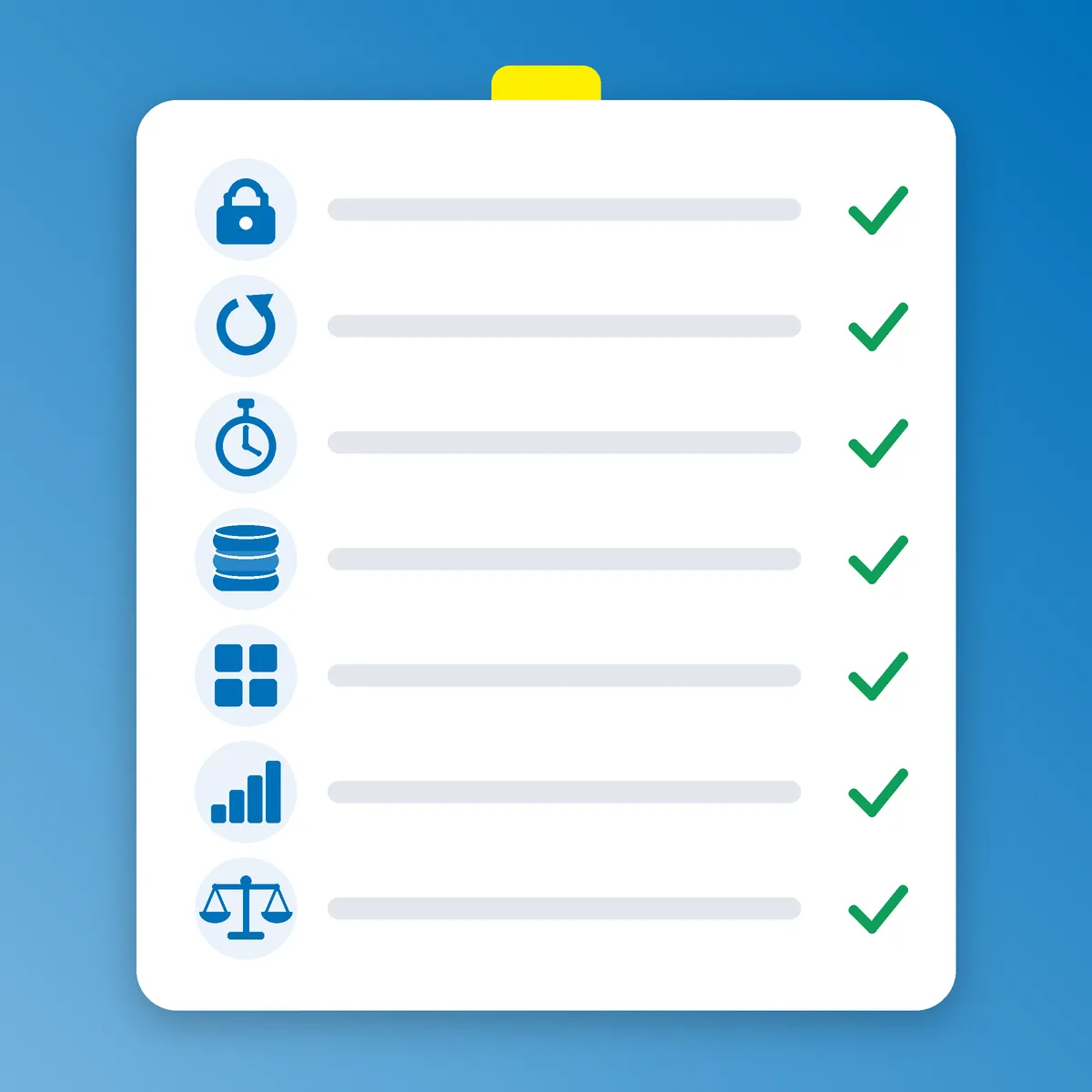
Whatever type you choose, check these before paying.
1. HTTPS with an SSL certificate. Visitors and browsers expect the padlock. Google’s page experience guidance asks whether your pages are served securely and points site owners to its HTTPS report8. Free certificates exist: Let’s Encrypt is a free, automated and open certificate authority run by the non-profit Internet Security Research Group9.
2. Uptime figures you can read. Look for a stated uptime percentage, then do the maths. Our own calculation: 99.9% uptime still allows about 43 minutes of downtime in a 30-day month. That’s normal for entry-level hosting, and worth knowing before you launch a big promotion.
3. Speed basics. Hosting affects how quickly the server starts responding. Google’s web.dev guidance says a good Time to First Byte is 0.8 seconds or less, and over 1.8 seconds is poor10. Your images and theme matter too, but slow hosting sets a floor you can’t design your way out of.
4. Backups. The UK’s National Cyber Security Centre tells small organisations to make a backup of the data the business needs to operate, and lists your website alongside emails and invoicing11. Ask whether the host backs up your site, how often, and how you restore it. Keep your own copy too.
5. A control panel you can use. You’ll add email accounts, databases and SSL through it. A clear panel saves hours.
6. Room to grow. Check how easy it is to move up a plan, or to move out entirely.
7. Fair use terms. Plans with no fixed limit still have rules. Read the acceptable use policy so there are no surprises.
Three Mistakes First-Time Builders Make
Buying for the business you might have one day. A dedicated server or a big cloud setup for a five-page site means paying for capacity you won’t use. Start where you are and upgrade when the numbers tell you to.
Letting someone else own the keys. If a friend or freelancer sets up your hosting or domain, make sure the accounts are in your name and you have the logins. Getting locked out of your own site is a painful way to learn this.
Skipping the boring settings. Turn on HTTPS, set up a backup routine and use a strong, unique password for your hosting account from the start. It takes minutes at setup and saves days of cleanup later.
Where Side Hustle Hosting Fits
We built Side Hustle Hosting for exactly the people reading this: first-time builders who want a real site without managing a server. It’s shared hosting, and here’s what the plans list, straight from the page7:
- Side Hustle: 1 website, 1 GB disk, 10 GB monthly traffic, 5 mailboxes, 2 databases.
- Main Hustle: 4 websites, 4 GB disk, 100 GB monthly traffic, 25 mailboxes, 4 databases.
- Empire: no fixed limit on websites or mailboxes (fair use applies), 10 GB disk, 100 GB monthly traffic, 20 databases.
Every plan lists the Nginx web server, free auto-renewing Let’s Encrypt SSL, the Plesk Obsidian control panel and 99.9% network uptime7. Fair use applies under the acceptable use policy, and limits may change with notice. Prices are shown in USD and several other currencies, including GBP, CAD, NZD, AUD, EUR, KYD and BSD.
Nginx is one of the web servers WordPress.org recommends5, so a WordPress site, a landing page or a custom script all fit. Start on the plan that matches the number of sites you run, and move up when you outgrow it.
Your Move
Hosting is a foundation decision, not a forever decision. Here’s the short version:
- One small site and no server skills? Start with shared hosting.
- Outgrowing it, or running a custom app? Look at a VPS or cloud.
- Want zero setup and happy on one platform? A site builder works.
- Whatever you pick, check SSL, uptime, speed, backups and the full-year cost.
Then build the thing. Pick a plan, point your domain, publish one page, and share the link. Every site that’s helping us toward our mission of helping 1,000 people by 2028 started with a single page going live.
Ready? Choose your Side Hustle Hosting plan and get your site online. Let’s freaking go!
Where the numbers come from
Every figure, definition and plan detail above is named in the text and numbered here. Pages were checked on 15 October 2026; prices, plan limits and requirements change, so check the page before you rely on it. Calculations marked as our own maths are ours, not the source’s.
- MDN Web Docs (Mozilla), What is a web server?, MDN, 2026 (undated page, read 15 October 2026). developer.mozilla.org
- Amazon Web Services, What is VPS? Virtual Private Server Hosting Explained, AWS, 2026 (undated page, read 15 October 2026). A cloud provider’s own explainer. aws.amazon.com
- Peter Mell and Timothy Grance, The NIST Definition of Cloud Computing (SP 800-145), National Institute of Standards and Technology, 2011. csrc.nist.gov
- Amazon Web Services, What is Cloud Computing?, AWS, 2026 (undated page, read 15 October 2026). A cloud provider’s own explainer. aws.amazon.com
- WordPress.org, Requirements, WordPress.org, 2026 (undated page, read 15 October 2026). wordpress.org
- Shopify, Web Hosting, Shopify, 2026 (undated page, read 15 October 2026). The provider’s own product page. shopify.com
- Side Hustle Industries, Shared Web Hosting (plan list, USD view), Side Hustle Hosting, 2026 (read 15 October 2026). Our own product page; prices and limits can change. hosting.sidehustle.industries
- Google Search Central, Understanding Google Page Experience, Google for Developers, 2026 (undated page, read 15 October 2026). developers.google.com
- Let’s Encrypt, About Let’s Encrypt, Internet Security Research Group, 2026 (undated page, read 15 October 2026). letsencrypt.org
- Jeremy Wagner and Barry Pollard, Time to First Byte (TTFB), web.dev (Google), 2026 (read 15 October 2026). web.dev
- National Cyber Security Centre (UK), Small Business Guide: Backing up your data, NCSC, 2026 (undated page, read 15 October 2026). ncsc.gov.uk